
Hướng Dẫn Sử Dụng
GitHub Actions Proxy: Store Secrets and Configure CI/CD Securely

Table of contents
When a workflow needs to access an internal package repository or route traffic through a controlled endpoint, a GitHub Actions proxy becomes part of the CI/CD infrastructure. However, placing passwords directly in YAML, printing configuration for troubleshooting, or sharing accounts across multiple projects can expose credentials.
The appropriate approach is to store sensitive data in GitHub Actions Secrets, provide it only to the steps that need it, and control which code is allowed to run with access to secrets. This article explains how to organize, configure, and operate a proxy according to the principle of least privilege.
Why do proxy credentials need protection?
A proxy account may allow the use of network services, access to internal resources, or the generation of traffic on behalf of an organization. If these credentials are exposed, the risks extend beyond usage costs to include the scope of access granted to the proxy.
In CI/CD, secrets can appear unexpectedly in error messages, debug modes, configuration files, caches, or artifacts. Therefore, proxy password security must cover storage, delivery to applications, and data handling after execution.
Choose the scope for GitHub Actions Secrets
Repository secrets for project-specific configuration
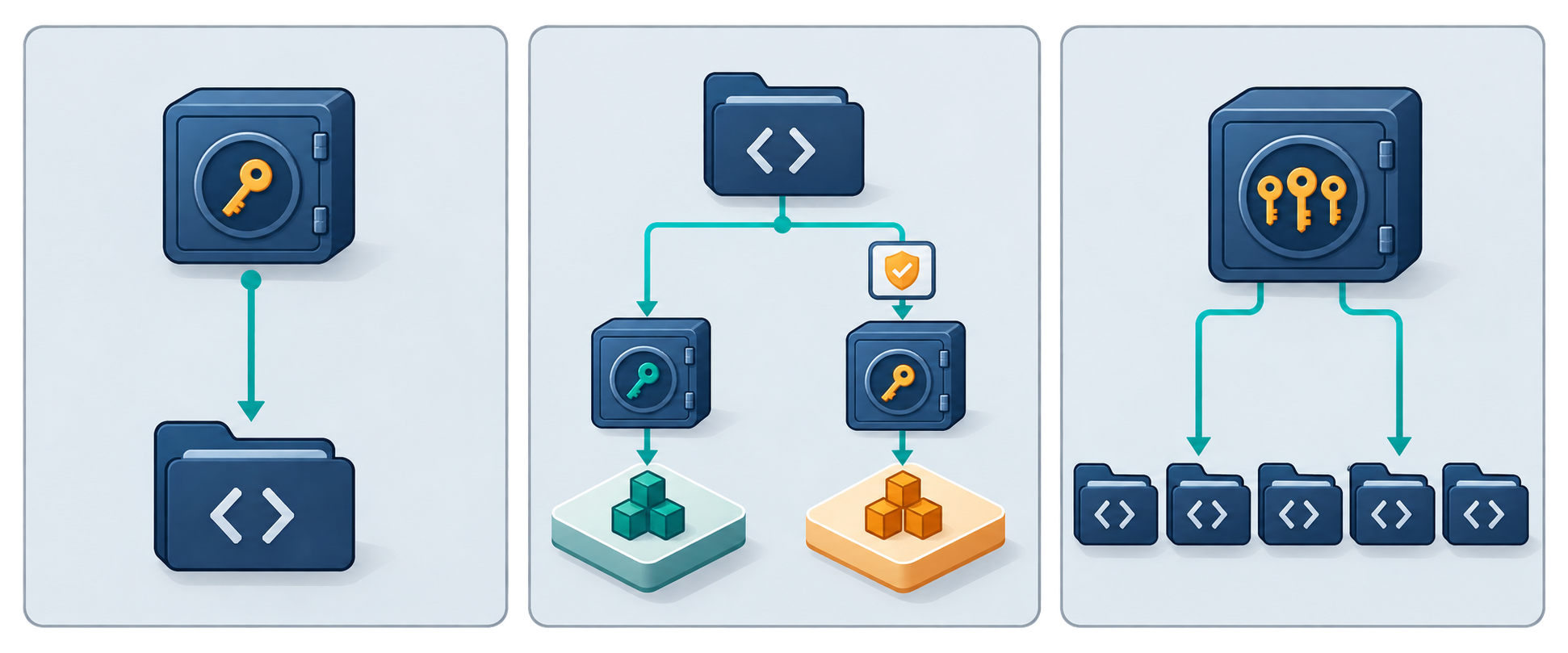
Repository secrets are appropriate when credentials serve only one repository. Users with management permissions can go to Settings → Secrets and variables → Actions to create a secret. Do not place passwords in workflow files or commit configuration files with credentials already filled in.
Environment secrets for each deployment environment
If your process includes testing and production environments, use separate proxy accounts with the corresponding environment secrets. A job must declare the appropriate environment to use these secrets.
Combining this with environment protection rules, such as required approvals or deployment branch restrictions, helps control when secrets are made available. The availability of individual rules depends on the service plan and repository type.
Organization secrets for shared needs
Organization secrets support centralized management, but access must be restricted to the repositories that need them. Do not share proxy accounts more broadly than necessary. Separate accounts for different groups of tasks make access revocation and incident investigation clearer.
Organize proxy information before storing it
A typical configuration includes the server address, port, username, password, and a list of destinations that bypass the proxy. You can use names such as:
- PROXY_HOST: the proxy server address.
- PROXY_PORT: the connection port provided by the administrator.
- PROXY_USERNAME: the account username dedicated to CI/CD.
- PROXY_PASSWORD: the account password.
- NO_PROXY: a list of destinations to connect to directly, if permitted by network policy.
Passwords must be stored as secrets. The host and port can use GitHub Actions Variables if they are not sensitive; if they reveal internal network structure, protect them accordingly. Do not use Variables to store credentials.
Another option is to store the complete authenticated URL in a PROXY_URL secret. This reduces string concatenation but makes the entire URL sensitive data. Choose an approach based on the tool's requirements and your credential rotation process.
How to create secrets and use them in a workflow
Create secrets at the correct scope
- Identify the repository, environment, or group of repositories that needs to use the proxy.
- Open the Actions secrets management page at the corresponding scope.
- Create a secret with a consistent, recognizable name.
- Enter the actual value and save it; do not include the password in descriptions or documentation.
- Check access policies before running the workflow.
Once saved, a secret's value cannot be read back through the standard management interface. Therefore, you need an approved credential management source for updates and revocation, rather than relying on personal notes.
Map secrets to step environment variables
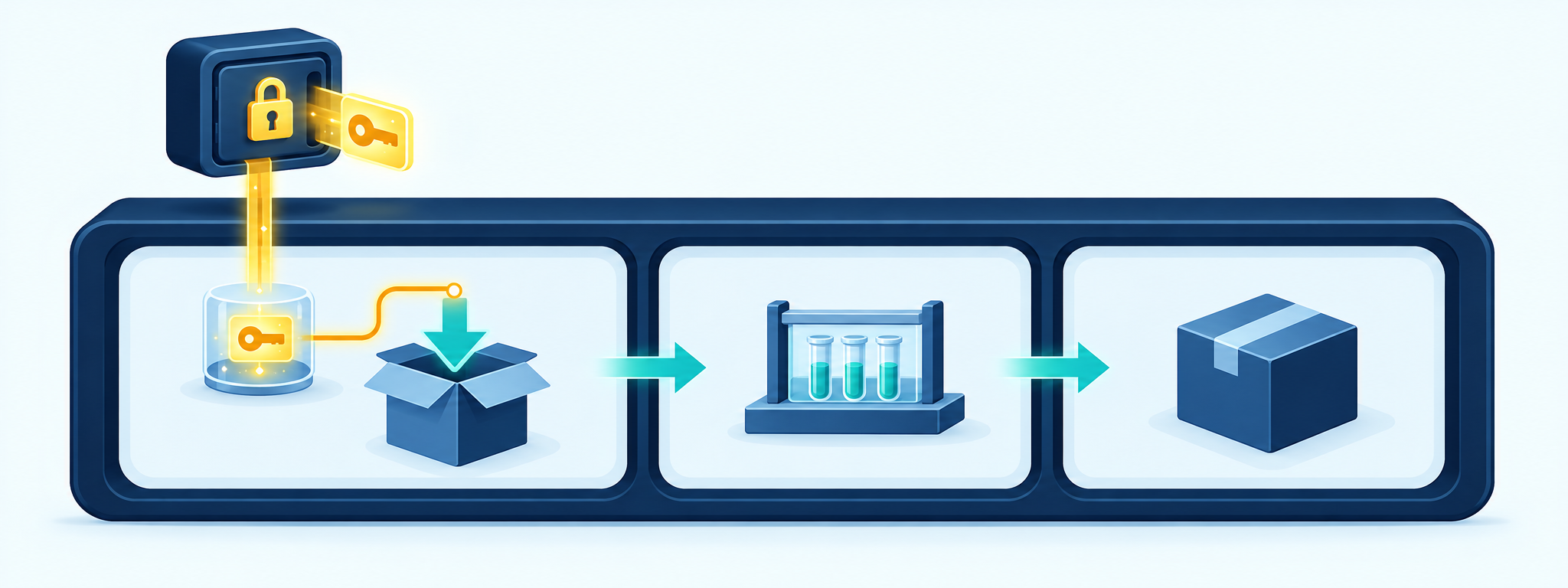
In the workflow YAML, use the env section to map step variables to secret expressions. For example, the value of the PROXY_PASSWORD variable is ${{ secrets.PROXY_PASSWORD }}. If you store a complete URL, tools that support the HTTP_PROXY or HTTPS_PROXY variables can receive their values from ${{ secrets.PROXY_URL }}.
Prefer step-level declarations over workflow-wide declarations. If only the dependency download step needs the proxy, testing or packaging steps should not receive the password. Declare variables at the job level only when the steps in that job genuinely require the same access.
Do not insert secret expressions directly into shell code in run. Mapping them through env and then referencing the variables using shell syntax helps prevent secret values from being interpreted as part of a command. You must still quote variables appropriately and avoid mechanisms that re-evaluate command strings.
Configure the CI/CD proxy according to the tool
Not every application reads the same environment variables
Many tools support HTTP_PROXY, HTTPS_PROXY, and NO_PROXY, but their handling of uppercase and lowercase variable names or exclusion lists may differ. Some package managers and build tools require their own configuration.
Therefore, CI/CD proxy configuration must be based on each tool's documentation. If both uppercase and lowercase variables are necessary for compatibility, keep their values consistent and provide them only within the required scope.
Handle special characters in credentials
When a username or password is included in a URL, characters such as @ signs, colons, or slashes can change how the address is parsed. Encode the credential components according to URL rules rather than indiscriminately encoding the entire string.
The encoded value is still a secret. Do not print the assembled URL to check it, because secret masking is not guaranteed to recognize every transformed version. If the tool supports separate username and password fields, consider using them to reduce URL handling errors.
Keep TLS certificate verification enabled
The HTTPS_PROXY variable typically specifies the proxy used for requests to HTTPS destinations; the variable name does not itself guarantee that the connection to the proxy is encrypted. Confirm the connection protocol and authentication mechanisms supported by the server.
If your organization uses an internal CA, install the trusted certificate according to the tool's instructions. Do not disable TLS verification as a quick fix for connection errors. Credentials must also be protected in transit to the proxy, particularly when using an authentication mechanism that does not itself encrypt passwords.
Prevent password leaks through logs and output data
GitHub Actions masks secrets in logs, but this is not a comprehensive guarantee. Encoded, split, or transformed values may not be recognized as the original value.
- Do not print all environment variables using commands such as env or printenv in a step that has access to secrets.
- Do not enable shell tracing such as set -x when handling credentials.
- Limit verbose modes that may display URLs, headers, or connection configuration.
- Do not include passwords in artifact names, job outputs, or workflow summaries.
- Do not upload artifacts or save caches containing proxy configuration files with passwords.
If you must generate a new sensitive value during execution, you can register it for masking with the add-mask workflow command before the value appears in logs. The primary safeguard remains keeping secrets out of output, rather than relying on masking afterward.
Control which workflows can use secrets
Do not provide secrets to untrusted code
Pull requests from forks generally do not receive Actions secrets for standard events. Do not change the execution flow solely to provide proxy passwords to tests from untrusted sources.
Be especially cautious with pull_request_target: this event runs in the context of the target repository. Checking out and then executing code from a pull request in a job with access to secrets can expose credentials. Separate checks on external code from tasks that require secrets.
Review actions, scripts, and reusable workflows
Any action or script that receives a secret can potentially read it and send it elsewhere. Evaluate the source of actions, pin versions in accordance with organizational policy, and restrict who can modify workflows.
For reusable workflows, pass only the secrets that are necessary. Avoid inheriting all secrets without a clear need. Also set GITHUB_TOKEN permissions to the minimum required; token permissions and access to proxy passwords are separate scopes that must be controlled independently.
Manage runners and temporary configuration files

Environment variables are not a substitute for runner isolation. Child processes can inherit variables, and code running with the same privileges may access data during execution. Self-hosted runners require particular attention because state can persist between jobs.
If an application must read a configuration file, create it in a temporary directory, restrict read permissions according to the operating system, and delete it after use. The cleanup step should run even if the job fails. Do not treat cleanup as the only safeguard, because the runner may be interrupted.
For Docker builds, do not pass passwords through ARG or write them to ENV in the Dockerfile to support package downloads. Prefer an appropriate build secret mechanism, and verify that passwords are not written to layers, caches, or the final image.
Rotate credentials and respond to incidents
Proxy accounts used in CI/CD should be separate from personal accounts and have only the necessary scope. If the service supports it, restrict destination access or connection sources, or use short-lived credentials suited to your runner model.
When changing a password, update the secret at the correct scope and run a verification task in a trusted context. The task should report only the connection result or error category, without displaying credentials. Revoke the old credentials according to the agreed process.
If you suspect a leak, prioritize revoking or changing the credentials. Then review logs, artifacts, caches, and access history. Deleting a log line is not enough to guarantee that a secret has not been copied.
Pre-operation checklist
- Store passwords in GitHub Actions Secrets, not in source code.
- Choose the correct repository, environment, or organization scope.
- Provide secrets only to trusted steps and code.
- Check how the tool reads proxy variables and handles special characters.
- Keep TLS verification enabled and manage trusted certificates.
- Keep credentials out of logs, artifacts, caches, and images.
- Prepare procedures for rotation, revocation, and incident investigation.
A secure GitHub Actions proxy requires more than storing passwords in Secrets. Effective protection depends on the entire usage lifecycle: granting access at the correct scope, passing data correctly, controlling executed code, and revoking credentials promptly. When these principles are applied consistently, CI/CD proxy configuration becomes easier to manage and audit.
Related articles
Ready for real proxies, not just the guide?
Buy Residential, ISP, Datacenter, or Mobile proxies — live in minutes.
View products