
Hướng Dẫn Sử Dụng
Testing wss:// WebSocket Proxies with Node.js and Troubleshooting Errors

Table of contents
Why test WebSocket proxies separately?
A proxy that can access HTTPS websites may not reliably maintain secure WebSocket connections. For chat applications, notifications, or real-time dashboards, a successful connection is not enough: data must also flow reliably over extended periods.
To test whether a proxy supports WebSocket, you need to verify the tunnel through the proxy, TLS negotiation, the WebSocket handshake, and data transmission after the connection opens. This article uses Node.js to separate these stages, helping you diagnose the actual cause instead of blaming every error on the proxy.
How do proxies handle wss:// connections?
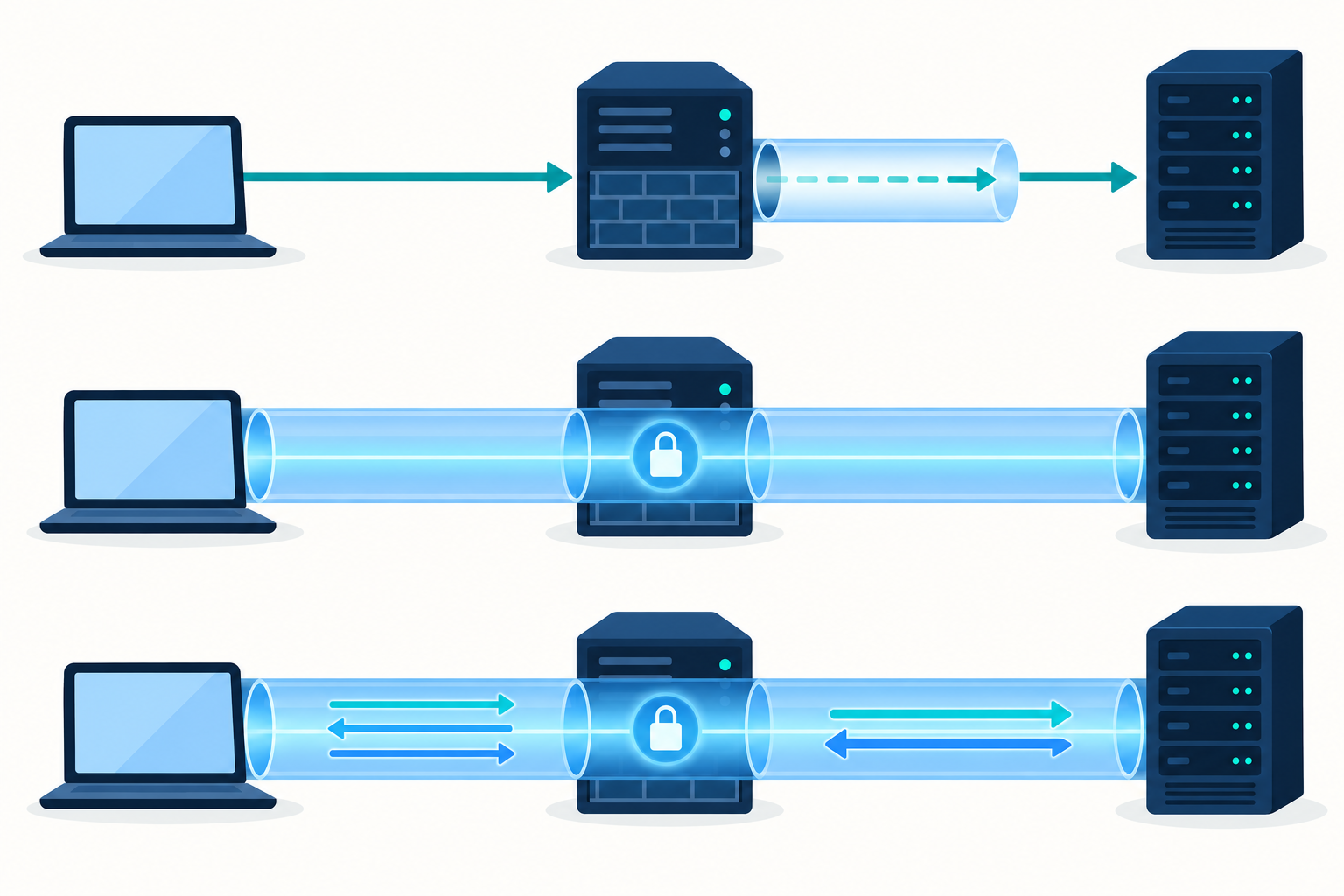
wss:// is WebSocket running over TLS. In a typical flow through an HTTP proxy, the client asks the proxy to establish a tunnel to the destination server using the CONNECT method. Once the tunnel is accepted, the client negotiates TLS with the server and then sends the WebSocket handshake request inside the encrypted connection.
Therefore, an HTTP proxy does not necessarily need to understand WebSocket content to forward wss:// traffic. However, the proxy's destination policies, authentication requirements, timeouts, and connection limits can still affect the connection.
- HTTP proxy: typically uses CONNECT to create a tunnel to the wss:// destination.
- HTTPS proxy: the connection from the client to the proxy is also protected by TLS; this is a separate layer from TLS to the destination server.
- SOCKS proxy: forwards TCP connections using the SOCKS protocol rather than HTTP CONNECT.
- Reverse proxy: sits in front of the application server; WebSocket forwarding configuration errors can occur here even when the client-side proxy works correctly.
Preparing the environment for testing wss proxies with Node.js
Install the required libraries with the following command:
npm install ws https-proxy-agent socks-proxy-agent
The example uses a file named check-wss.mjs, which uses ES module syntax. Use a WebSocket endpoint that you manage or are authorized to test, with a valid certificate and proper support for the application's protocol.
The program reads its configuration from environment variables:
- WSS_URL: the wss:// address, including the correct path and any required parameters.
- PROXY_URL: the proxy URL, including the protocol, host, port, and credentials if applicable.
- TEST_TIMEOUT_MS: an operator-selected timeout in milliseconds.
Do not store proxy passwords in source code. If the username or password contains special characters, properly encode each component when constructing the URL. Mask credentials, tokens, and sensitive parameters when logging.
Node.js code for testing the connection and Pong response
The example below is for HTTP or HTTPS proxies. Each code block is presented as a separate paragraph; copy them in order into the same check-wss.mjs file.
import WebSocket from 'ws'; import { HttpsProxyAgent } from 'https-proxy-agent'; import { randomUUID } from 'node:crypto';
const target = new URL(process.env.WSS_URL); const proxy = new URL(process.env.PROXY_URL); const timeout = Number(process.env.TEST_TIMEOUT_MS); if (target.protocol !== 'wss:') throw new Error('WSS_URL must use wss://'); if (!['http:', 'https:'].includes(proxy.protocol)) throw new Error('This example requires an HTTP or HTTPS proxy'); if (!Number.isSafeInteger(timeout) || timeout <= 0) throw new Error('TEST_TIMEOUT_MS must be a positive integer');
const agent = new HttpsProxyAgent(proxy); const token = randomUUID(); let stage = 'connecting'; let finished = false; let timer; const ws = new WebSocket(target, { agent, handshakeTimeout: timeout });
function finish(ok, message) { if (finished) return; finished = true; clearTimeout(timer); console.log(JSON.stringify({ ok, stage, message })); process.exitCode = ok ? 0 : 1; ws.terminate(); agent.destroy(); }
timer = setTimeout(() => finish(false, 'Operator-configured timeout exceeded'), timeout); ws.on('open', () => { stage = 'waiting-pong'; console.log('WebSocket handshake completed'); ws.ping(token); }); ws.on('pong', data => { if (data.toString() === token) finish(true, 'Received a Pong matching the Ping sent over the connection'); });
ws.on('unexpected-response', (request, response) => { finish(false, 'HTTP response did not complete the WebSocket handshake: ' + response.statusCode); response.destroy(); }); ws.on('error', error => finish(false, [error.code, error.message].filter(Boolean).join(': '))); ws.on('close', (code, reason) => { if (!finished) finish(false, 'Connection closed: ' + code + ' ' + reason.toString()); });
After setting the environment variables in your shell or process manager, run node check-wss.mjs. Do not put a full command containing a password into shared shell history.
Interpreting the results
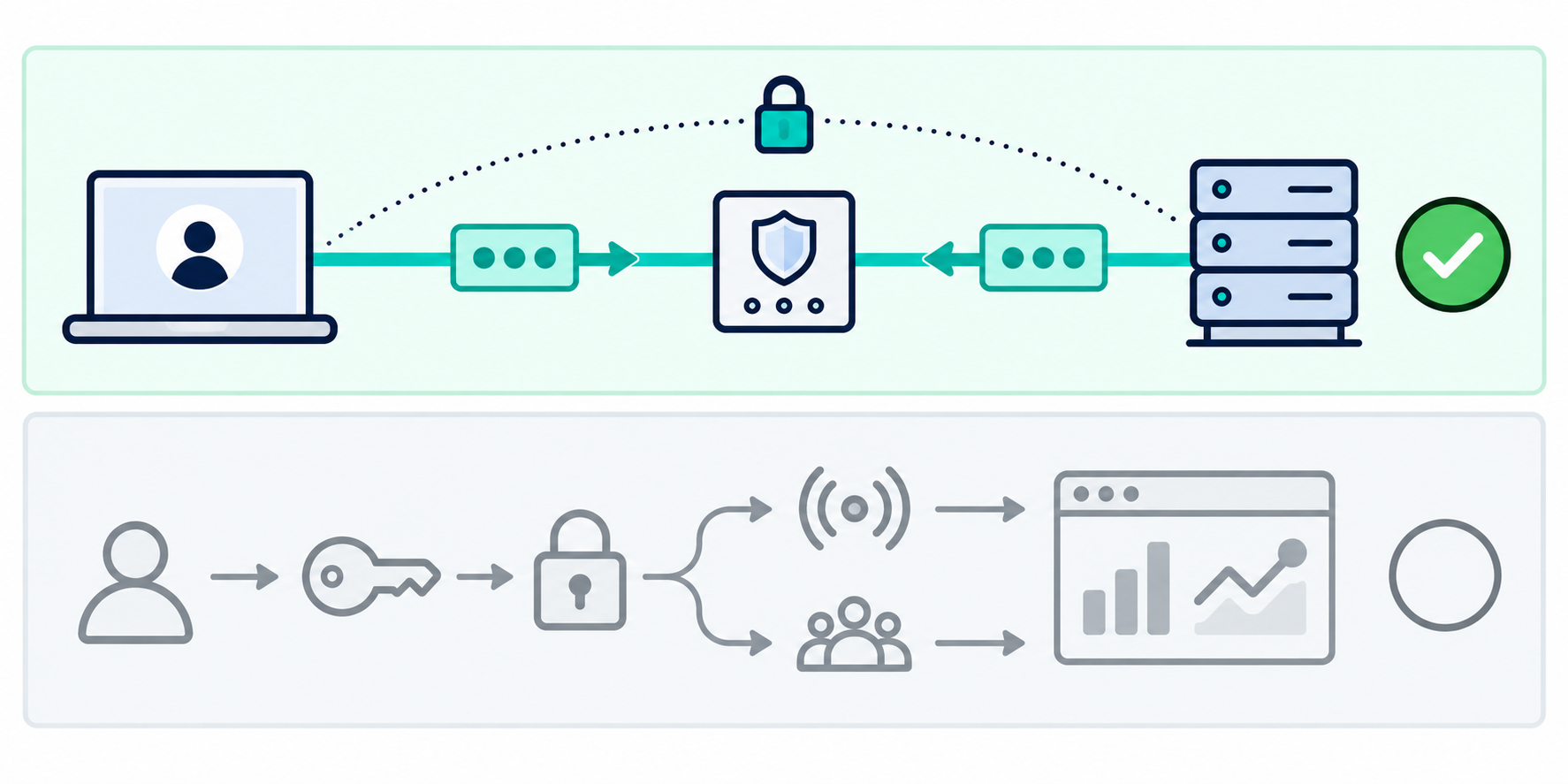
The open event confirms that the WebSocket handshake has completed. A Pong with a payload matching the Ping further confirms that control frames have traveled in both directions over the connection. The code uses terminate() to end this short test; it is not a pattern for closing connections normally in a production application.
Ping/Pong does not replace application-level testing. A successful result does not prove that login, channel subscriptions, or event delivery work. Conversely, a missing Pong is not enough to conclude that the proxy does not support WebSocket; you need to check the server, system load, and selected timeout.
If you use a SOCKS proxy
Replace the agent import and initialization with import { SocksProxyAgent } from 'socks-proxy-agent'; and const agent = new SocksProxyAgent(proxy);. Also update the protocol validation to accept the appropriate SOCKS type.
With this library, socks5:// resolves the destination hostname on the client, while socks5h:// passes the destination hostname to the proxy for resolution. This distinction matters when the two environments have different DNS configurations or network access capabilities.
Verifying that the connection actually passes through the proxy
Do not assume that a library will use a proxy simply because operating system environment variables have been set. In the example above, the agent is passed directly to WebSocket to make the connection route explicit.
- Cross-check CONNECT logs or connection session logs on the proxy if you have access.
- Check the source address observed by the destination server's infrastructure.
- Use a controlled endpoint to correlate client and server logs with a correlation ID.
- Try configuring a nonworking proxy in a test environment: the program should report an error rather than automatically fall back to a direct connection.
If the server sits behind a reverse proxy or load balancer, the source address seen by the application may belong to that intermediary. In that case, cross-check logs at the actual connection entry point.
Diagnosing WebSocket errors through a proxy by stage
Errors connecting to the proxy
ENOTFOUND is usually related to name resolution; ECONNREFUSED indicates that the connection was refused; ETIMEDOUT indicates that a network operation timed out. Determine whether the error occurs on the client–proxy or proxy–destination leg before troubleshooting.
Check the hostname, port, protocol, network access permissions, and proxy service status. Using the wrong protocol among HTTP, HTTPS, and SOCKS can cause the connection to fail immediately.
Authentication or tunnel establishment errors
If the proxy requires authentication, check the username, password, URL encoding, and authentication methods supported by the agent. Enterprise proxies may require mechanisms that cannot be satisfied by basic credentials in a URL.
The tunnel may also be rejected because of destination policies or account limits. Cross-check the proxy logs instead of concluding that the entire service does not support wss://.
TLS certificate errors
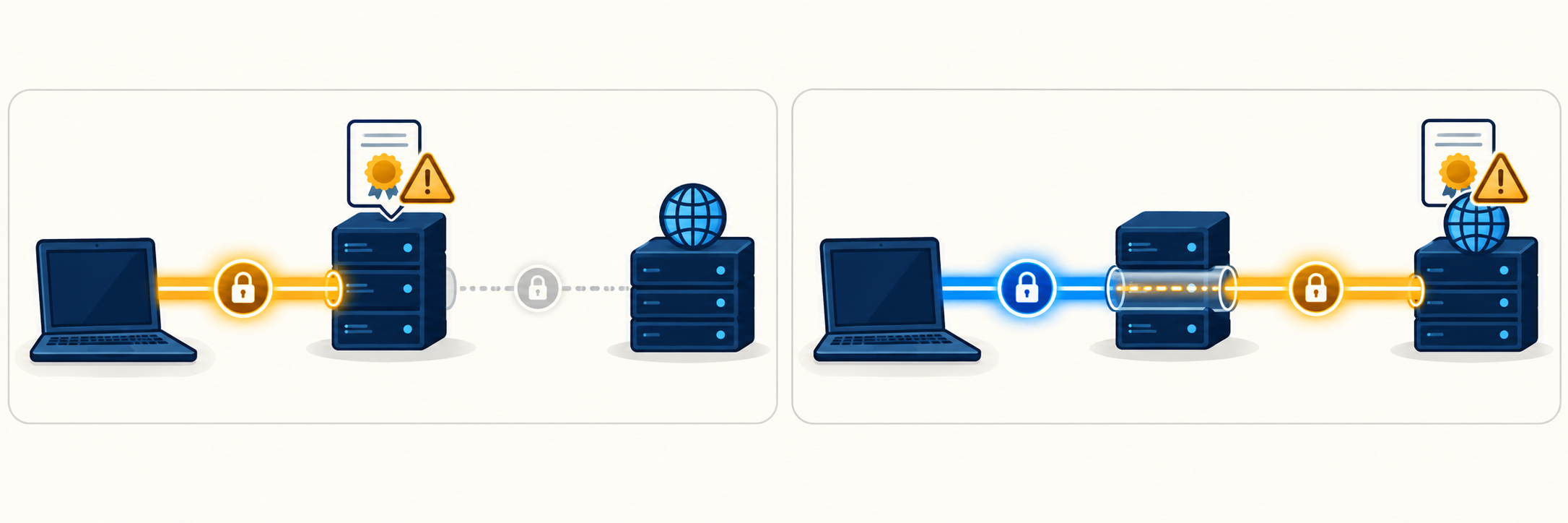
TLS errors can occur when connecting to an HTTPS proxy or when verifying the WebSocket server. Common causes include an incomplete certificate chain, a hostname mismatch, an expired certificate, or an internal CA that is not yet trusted.
Do not disable certificate verification to make the test appear successful. Fix the certificate configuration or add an administrator-approved CA. If you use an HTTPS proxy, identify exactly which TLS layer is failing.
An HTTP response arrives, but WebSocket does not open
The unexpected-response event indicates that an HTTP response was received that did not complete the WebSocket handshake. Check the URL, path, redirects, login session, Origin, and subprotocol against the server documentation.
The response may come from the proxy, reverse proxy, or destination application. Do not infer its source from the status code alone; cross-check logs and response details. If the application requires an authentication header, add it correctly to the connection options without logging the secret value.
The connection opens, then closes or stops receiving data
This category of errors is often related to idle timeouts, heartbeats, expired authentication sessions, connection limits, or the application closing the session. Record the opening time, the last time data was received, the close code, and the close reason.
A close code indicating abnormal termination does not identify which device caused the failure. Correlate the same time period across the client, proxy, and server to locate the interrupted leg.
Testing stability for real-time applications
After the Ping/Pong test, add an application workflow using a test account: authenticate, subscribe to a channel, and receive an event with a correlation ID. Do not send arbitrary messages without first understanding the application protocol.
- Establish a baseline: test directly and through the proxy against the same endpoint, if network policy permits.
- Test idle behavior: maintain the session for a duration that reflects actual needs to observe connection closures.
- Test heartbeats: distinguish WebSocket Ping/Pong from application-layer heartbeat messages.
- Test recovery: verify reconnection, reauthentication, and channel resubscription after an interruption.
- Run controlled load tests: increase connections only within authorized limits and monitor resources on both sides.
Do not use an excessively short heartbeat interval as a fix for every error. An appropriate value should be based on server policies, intermediary timeouts, and operational costs.
Conclusion
A reliable WebSocket proxy test must verify the connection route, complete TLS negotiation, open WebSocket, and test bidirectional data flow. For real-world applications, you also need to test application workflows and session persistence.
When encountering WebSocket errors through a proxy, classify them by stage rather than changing multiple settings at once. This approach helps pinpoint whether the problem lies with the proxy, certificates, reverse proxy, or application while preserving the necessary security requirements.
Related articles
Ready for real proxies, not just the guide?
Buy Residential, ISP, Datacenter, or Mobile proxies — live in minutes.
View products