
Hướng Dẫn Sử Dụng
Configuring NO_PROXY Correctly for Localhost and Internal APIs

Table of contents
In enterprise environments, applications often need to access the Internet through a proxy to comply with network policies and traffic controls. However, connections to localhost, services on the same machine, or internal APIs typically need to be direct. If these destinations are not distinguished, requests may unexpectedly be sent to a proxy, causing connection failures or disrupting communication between services.
Configuring NO_PROXY helps identify addresses that should bypass the proxy in HTTP clients that support it. To configure it correctly, you need to understand how the application reads environment variables, how domain names are matched, and what localhost means in each deployment environment.
How does NO_PROXY work?
NO_PROXY is an environment variable containing a list of destinations that an HTTP client is instructed to connect to directly, rather than through the configured proxy. This list typically consists of hostnames, domain names, or IP addresses, separated by commas.
A common set of proxy environment variables includes:
- HTTP_PROXY: the proxy address for HTTP requests, if the client supports this variable.
- HTTPS_PROXY: the proxy address for HTTPS requests.
- NO_PROXY: a list of destinations to connect to directly.
When sending a request, the client decides whether to use a proxy based on its effective configuration and how it matches entries in the exception list. NO_PROXY is therefore not a routing rule that automatically applies to the entire operating system. It only affects programs or libraries that implement the corresponding mechanism.
In particular, HTTPS_PROXY does not have to contain a URL starting with https://. With an HTTP proxy that supports the CONNECT method, a value such as http://proxy.corp.example:8080 can be used for HTTPS requests. The protocol in the URL describes how to connect to the proxy, not the protocol of the destination website.
Basic configuration for localhost and internal APIs
Suppose an application needs to access the Internet through the organization's proxy while also calling local services and an API at api.corp.example. In a POSIX-compatible shell, you can set:
export HTTP_PROXY='http://proxy.corp.example:8080'
export HTTPS_PROXY='http://proxy.corp.example:8080'
export NO_PROXY='localhost,127.0.0.1,::1,api.corp.example'
The addresses and ports in this example are for illustration only; replace them with the configuration provided by your administrator. After setting the variables, launch the application from that same shell session so the process receives the environment variables.
What should you include to bypass the proxy for localhost?
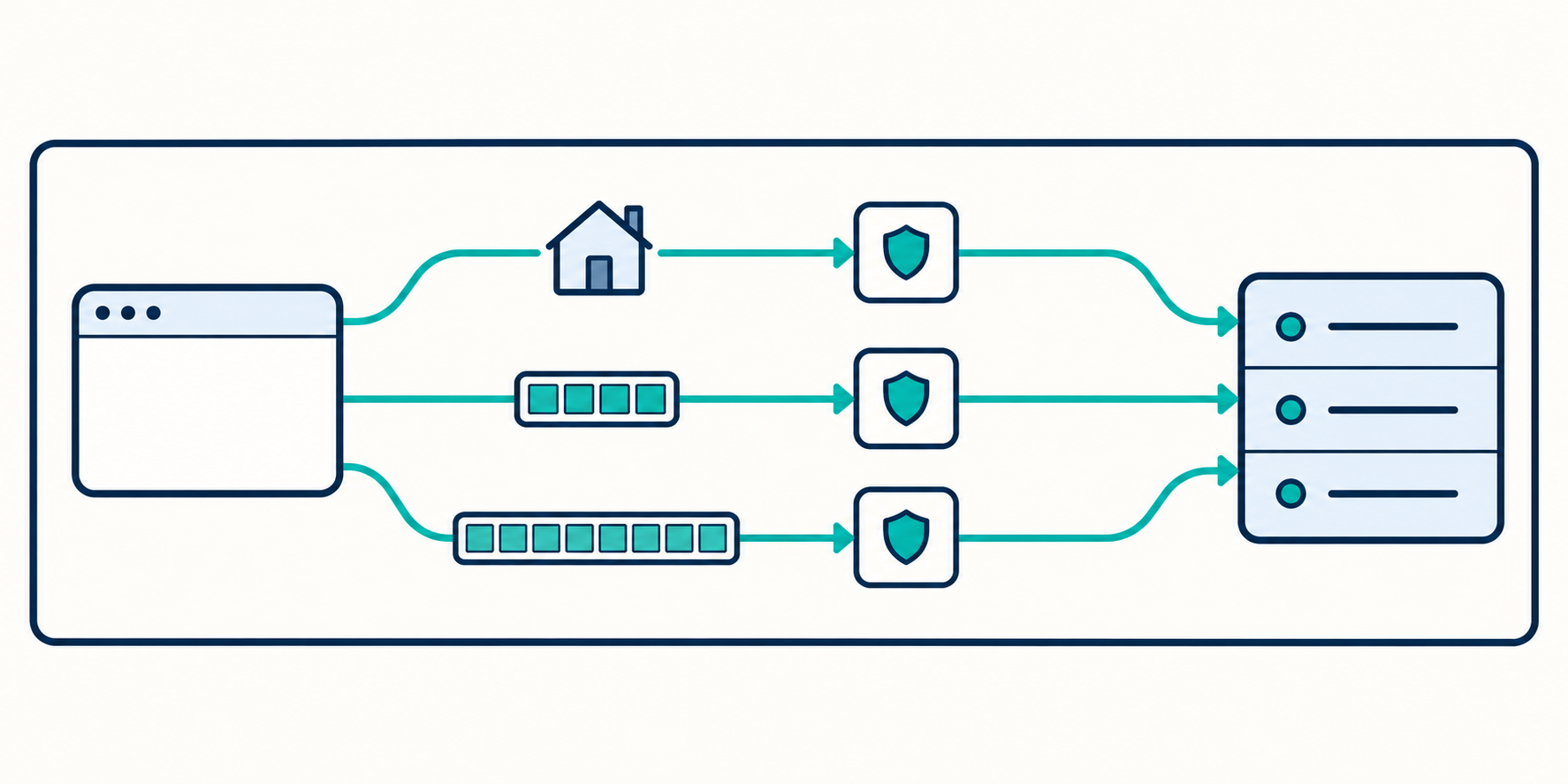
You should list localhost, 127.0.0.1, and ::1 when the application may use the localhost name, the IPv4 loopback address, and the IPv6 loopback address. Do not assume that listing localhost automatically covers every request sent to a loopback address.
Matching is typically based on the hostname or address appearing in the URL, not all the addresses that DNS may resolve it to. As a result, http://localhost and http://127.0.0.1 may be handled differently. IPv6 syntax in NO_PROXY also needs to be tested with the actual client.
Define internal API exceptions with the appropriate scope
If only one API needs a direct connection, start with its specific hostname, such as api.corp.example. If multiple services within the same internal domain share the same connection policy, you can consider a domain-suffix exception.
A common example is NO_PROXY='localhost,127.0.0.1,::1,corp.example,.corp.example'. However, clients do not all interpret the base domain and leading dot in the same way. Verify both corp.example and subdomains such as api.corp.example before applying the configuration broadly.
Matching rules to verify
A hostname is not a full URL
In a typical configuration, NO_PROXY contains connection destinations, not protocols or paths. Use api.corp.example rather than https://api.corp.example/private. This variable is not a tool for setting separate policies for individual API paths.
If you need to distinguish traffic by path, use the application's routing features or an appropriate network component. Do not extend the meaning of NO_PROXY beyond what the client supports.
Do not assume wildcards are always supported
The syntax *.corp.example may not be interpreted consistently across libraries. Some clients support a standalone * value to connect directly to all destinations, but that does not mean they support wildcard patterns in domain names.
Do not set NO_PROXY='*' for an application that still needs to use a proxy to access the Internet. This value may effectively disable the proxy configuration for clients that support it.
IP address, CIDR, and port support depends on the client
Not every library understands network ranges expressed in CIDR notation in NO_PROXY. In addition, CIDR support does not mean the client will resolve every hostname and then check the resulting address against that network range.
Similarly, hostname:port syntax only has meaning in clients that support port-based matching. Unless you have specific requirements, prefer a specific hostname or IP address and verify the behavior before adding complex rules.
Uppercase, lowercase, and precedence
Many environments use HTTP_PROXY, HTTPS_PROXY, and NO_PROXY alongside their lowercase equivalents. Support and precedence depend on the program, so there is no universal rule that applies to every application.
To reduce differences between tools, you can synchronize the variables in the shell:
export http_proxy="$HTTP_PROXY"
export https_proxy="$HTTPS_PROXY"
export no_proxy="$NO_PROXY"
Do not give two variables serving the same purpose conflicting values. For example, if NO_PROXY contains an internal API but no_proxy is empty, different clients may produce different results.
Specifically, curl only accepts the lowercase http_proxy variable for HTTP proxy configuration through environment variables, for security reasons related to CGI environments. This illustrates why you need to read the documentation for the tool you are using rather than relying solely on common variable names.
Applying the configuration in applications and containers
Applications running as system services
Setting variables in a terminal does not change the environment of an already running service. With a service manager, you need to set the variables in the service's environment configuration, then reload or restart it using the appropriate mechanism.
Check the environment of the actual application process. Seeing NO_PROXY in a terminal only proves that the current shell session has that variable, not that a background service has received it.
Containers and Docker Compose

Environment variables on the host do not automatically appear in every container. You need to pass HTTP_PROXY, HTTPS_PROXY, and NO_PROXY into the container's runtime environment through the deployment configuration mechanism.
Localhost inside a container refers to that container's own network namespace. If the API is in another container, the application typically needs to call it by its service name, such as internal-api. In that case, internal-api needs to appear in the exception list if the client is using a proxy.
You also need to distinguish the image build environment from the application's runtime environment. A working proxy when downloading packages during the build does not prove that the runtime configuration is correct.
Kubernetes clusters
In Kubernetes, applications may access services through short names, namespace-qualified names, or fully qualified DNS names. The exception configuration should accurately reflect the name formats the application actually uses.
Do not copy an entire list of domains or network ranges from another cluster. DNS suffixes and network layouts may differ, and the client may not support the configured syntax.
Differences between HTTP libraries
A correct environment-level configuration may still have no effect if the application uses its own proxy mechanism. When handling proxy configuration for internal APIs, check both the runtime and the library sending the requests.
- Python Requests: normally reads proxy configuration from the environment. However, session configuration or disabling trust_env can change this behavior.
- Go: a transport using http.ProxyFromEnvironment can read environment variables. A custom transport may not use that mechanism.
- Node.js: do not assume every version, library, or HTTP agent automatically reads the same set of proxy variables. Check the specific component sending the requests.
- Java: many applications use JVM properties such as http.proxyHost and http.nonProxyHosts instead of relying directly on NO_PROXY. The exception-list syntax also differs.
If the application sets a proxy directly in its source code, verify whether that configuration still consults NO_PROXY. Explicit proxy options can change how exceptions are handled.
NO_PROXY configuration verification workflow
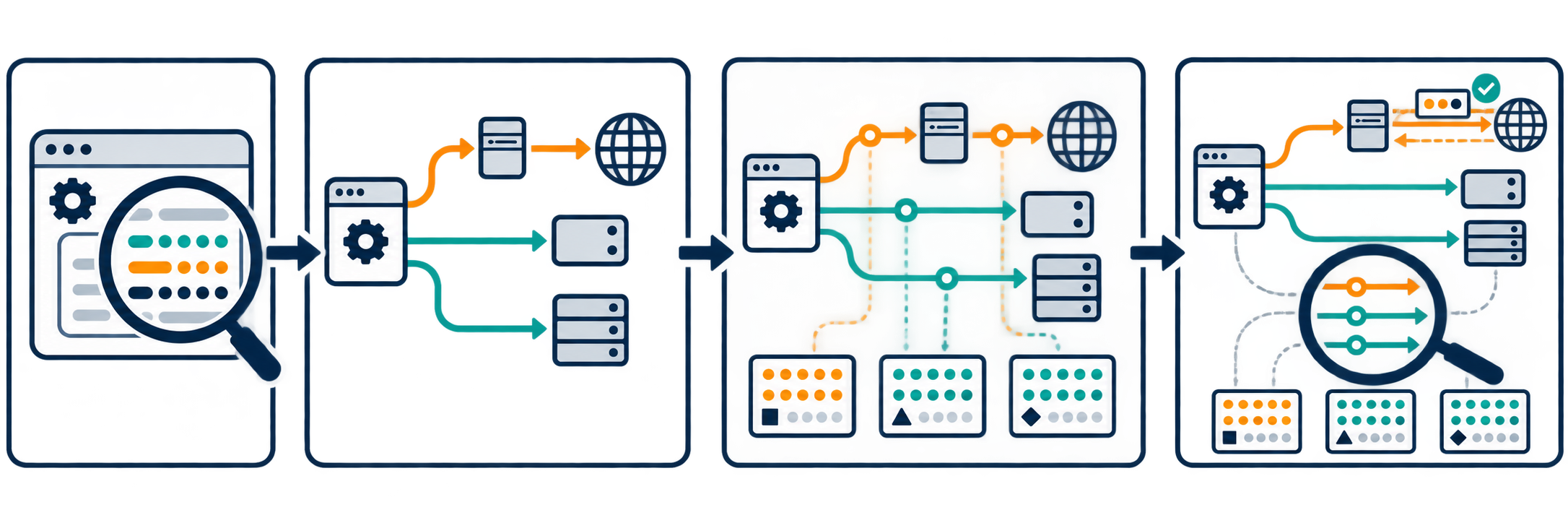
- Confirm the environment variables: check within the relevant container, execution session, or process; redact credentials when sharing results.
- Test an Internet destination: use an authorized endpoint and confirm that the request still goes through the proxy using logs or connection information.
- Test localhost: call the exact hostname and port the application uses, then verify that the connection is direct.
- Test the internal API: test with the same library and configuration as the application, not just a command-line tool.
- Corroborate the evidence: combine application logs, proxy logs, and network connection observations if authorized.
You can use curl -v https://api.corp.example/health to observe the connection process. Verbose mode may display sensitive data, so review and redact information before sharing logs.
A successful response alone does not prove that the request went directly to the destination. Conversely, a direct connection failure is not necessarily caused by NO_PROXY: the cause could be DNS, a firewall, routing, or TLS certificates.
Common mistakes and operational principles
Common mistakes include using the wrong variable name, using a URL instead of a hostname, forgetting to pass variables into a container, not restarting a service, or calling an API using a different name from the one configured. An HTTP redirect to another hostname can also cause the next request to be subject to different proxy rules.
For security, keep the exception list limited to what is necessary, do not put proxy passwords in source code repositories, and do not disable TLS verification to resolve connection errors. NO_PROXY only controls proxy selection on the client; it does not grant network access or replace firewall policies.
Conclusion
To configure NO_PROXY effectively, start with localhost, the loopback addresses you need, and specific internal API hostnames. Then synchronize the environment variables, check library support, and verify the actual path taken by requests. This approach helps applications maintain Internet access through a proxy while allowing internal connections to work as designed.
Related articles
Ready for real proxies, not just the guide?
Buy Residential, ISP, Datacenter, or Mobile proxies — live in minutes.
View products