
Hướng Dẫn Sử Dụng
How to Configure Proxies for Website Testing by Country

Table of contents
A website that works correctly in its home market is not necessarily ready to serve international customers. Shoppers in other countries may see the wrong currency, be redirected to an inappropriate language version, or encounter inconsistent prices between product pages and checkout.
Using a website testing proxy helps development teams observe the experience from an IP address in the target market. However, IP addresses are only one signal in a localization system. For reliable results, browser settings, accounts, cookies, and business rules must also be controlled.
How Do Proxies Support Multi-Country Website Testing?
A proxy acts as an intermediary, forwarding traffic between the testing browser and the website. When the connection is configured correctly, the server typically sees the proxy's exit IP address rather than the tester's direct connection address.
This allows teams to evaluate features that use IP location as a signal: country suggestions, default currency selection, redirects to regional stores, or content tailored to a particular market.
However, multi-country website testing involves more than simply changing an IP address. Websites may also rely on browser language, URL paths, saved preferences, shipping addresses, or account settings. A proxy does not automatically change the browser's time zone or location permissions either.
Define Localization Rules Before Configuration
Clarify What Determines Country, Currency, and Language
Before testing, document how the website determines each attribute. The country being served, interface language, and payment currency are related but do not necessarily match. A user might access the site from Vietnam, select English, and purchase goods for delivery to Germany.
- Country: Is it determined by IP address, store selection, account, or shipping address?
- Currency: Does it depend on the sales market, user preference, or payment system?
- Language: Does the URL path, manual selection, cookie, or Accept-Language header take priority?
- Tax and shipping: What information is used to calculate them, and at which step?
The order of precedence must be clearly defined in the product requirements. For example, the website may respect a manual selection rather than repeatedly changing the language based on IP address. Without consistent rules, different teams can easily assess the same behavior differently.
Create a Matrix of Markets and Expected Results
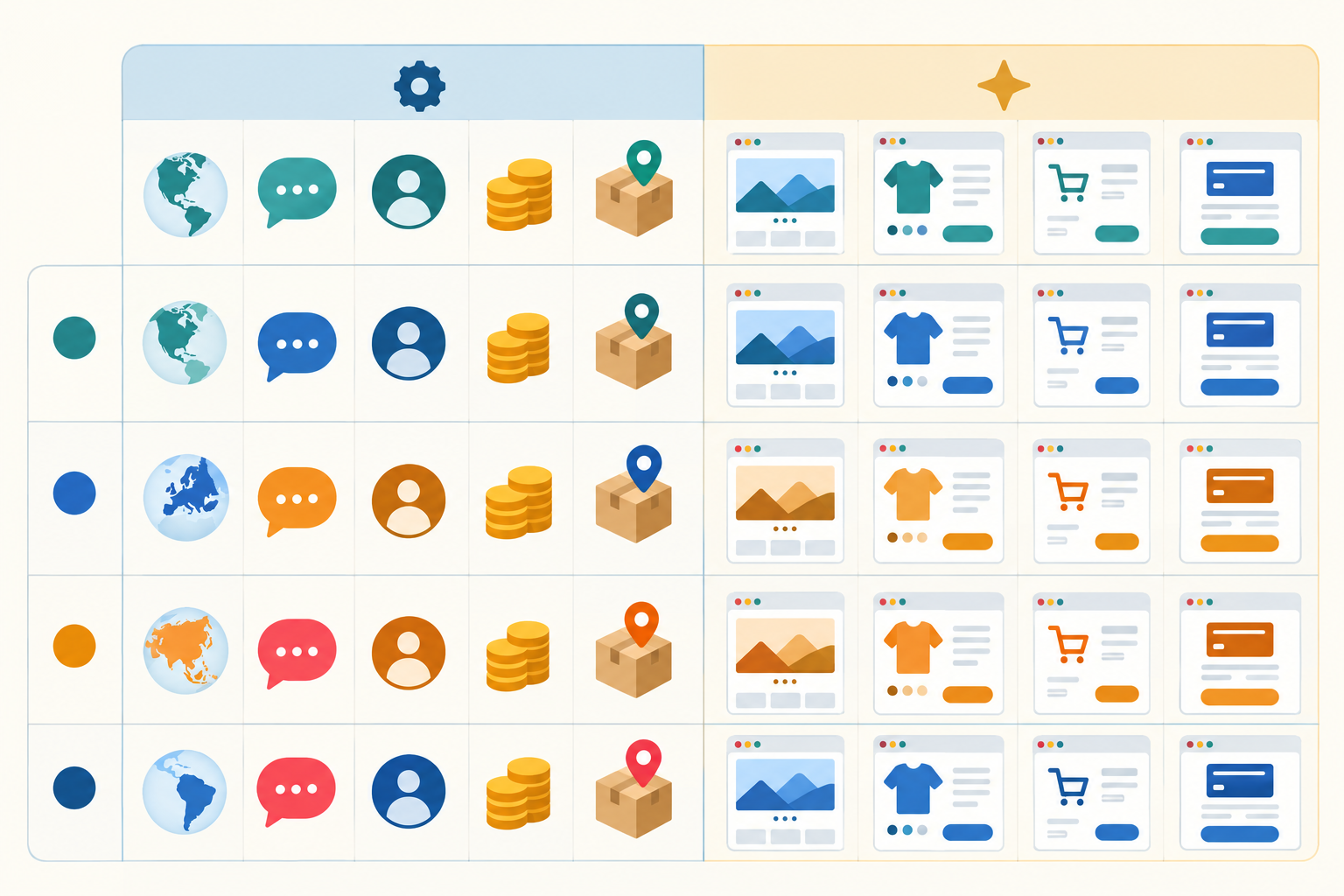
Each scenario should specify the IP country, browser language, login status, selected currency, and shipping address. It should also include the expected results for the landing page, product prices, cart, and checkout.
Include scenarios with conflicting signals: an IP address in France with an English-language browser, for example, or an account with a saved store that differs from the current country. This verifies the order of precedence rather than merely confirming straightforward cases.
Prepare the Website Testing Proxy Environment
Choose a Proxy That Fits Your Goals
Prioritize services with legally sourced proxies, clear data policies, and the ability to select an exit country. For purchasing flows with multiple steps, use a session that retains the same IP address so that the location does not change between viewing a product and checking out.
No proxy type is inherently suitable for every situation. What matters is that your system associates the IP address with the correct market, the connection is stable enough, and the observed behavior can be reproduced.
Limit the Scope and Protect Data
Only test websites you manage or have permission to test. Prioritize staging environments, test accounts, and test payment modes. Do not send real customer data through a proxy without first evaluating the provider's security policy.
Proxy credentials must be managed as access secrets. Do not store passwords in source code repositories, bug report screenshots, or public logs. Keep HTTPS certificate checks enabled; do not disable certificate verification simply to make the connection work.
How to Configure Proxies by Country
Prepare Connection Details
Collect the proxy server address, port, protocol, credentials, and country selection method. Depending on the provider, the country may be set through a dashboard, a dedicated endpoint, or an account parameter. Follow the service documentation rather than guessing the syntax.
Apply the Proxy to the Correct Browser or Tool
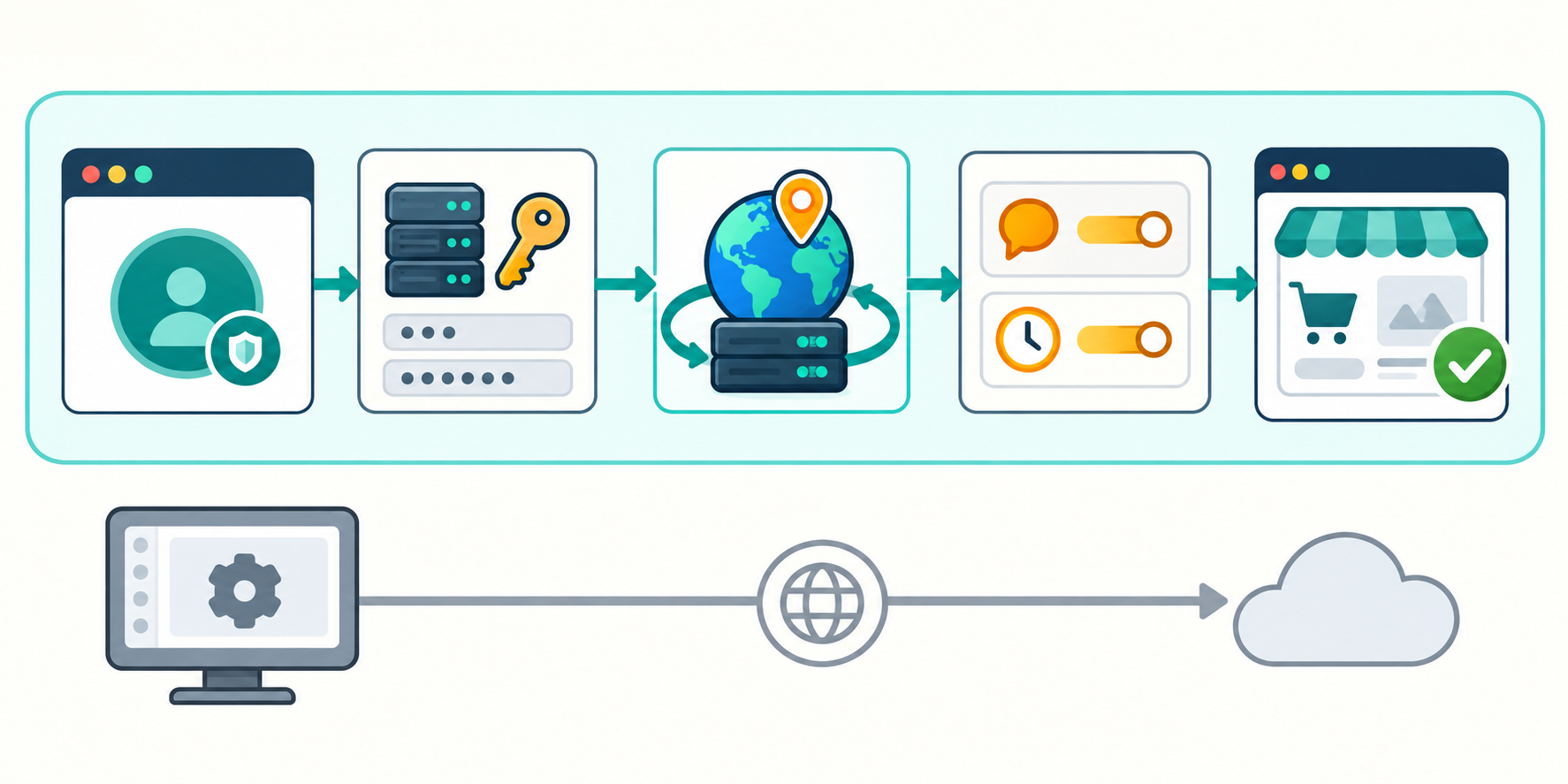
- Create a separate browser profile for the scenario or market being tested.
- Configure the address, port, and credentials at the appropriate tool, browser, or operating system level.
- Select the exit country and enable session persistence if the workflow requires a stable IP address.
- Configure the browser language and time zone separately according to the testing objectives.
- Open the website and verify the connection before proceeding with the business workflow.
Some browsers use the system proxy configuration, while automation tools have their own settings. Confirm the scope of the configuration to avoid accidentally routing traffic from other applications through the proxy or leaving the testing tool connected directly.
Verify the IP Address the Application Actually Receives
Cross-check the exit IP address using a trusted tool and your server-side logs. If the application sits behind intermediary infrastructure, check client address forwarding and the trusted proxy configuration. Do not treat arbitrary client-supplied headers as proof of location.
IP geolocation databases may classify addresses differently. If results do not match, check which data source the application uses and when it was last updated. The result to verify is the country that your own system identifies.
Check IP-Based Currency Selection and Price Consistency
Test from the Product Page Through Checkout

Start with a clean session, visit a product page, and record the default currency. Then check category pages, search, the cart, and checkout. Testing IP-based currency selection must include transaction data, not just the displayed symbol.
- Is the currency code clear when the symbol could be ambiguous?
- Do decimal separators, thousands separators, and symbol placement follow the correct conventions?
- Do prices, discounts, and shipping fees use the same currency?
- Do orders and payment requests record the correct confirmed currency?
Distinguish market-specific price lists from prices converted from a base currency. When evaluating differences, compare them against approved pricing configurations, tax settings, and rounding rules. Do not assume that every market must have equivalent prices.
Try Changing the Shipping Address
Keep the IP address unchanged but change the shipping country to test tax rules, shipping rules, and sales conditions. If the total changes for a valid reason, the website should clearly explain why and display the final amount before the user confirms the transaction.
Test Language Localization and User Experience
When performing localization testing, combine IP location with browser language and manual selections. Test both first-time and return visits. The website should handle saved preferences consistently and provide an easy-to-find way to change the language.
The review should cover menus, filters, forms, error messages, terms of sale, and order confirmation emails. For markets with different writing conventions or text lengths, check the actual layout rather than simply confirming that a translation exists.
Beyond content, evaluate date formats, phone numbers, addresses, and required fields. Avoid applying the home market's address structure to every country. Invoice and tax requirements should be confirmed by the relevant subject-matter expert.
Control Cookies, Caches, and Accounts
Cookies or browser storage may retain the previous country, causing a proxy change to have no visible effect. Separate testing into two groups: clean sessions to check defaults and returning sessions to evaluate preference retention. Do not clear state midway through a scenario that is testing continuity.
Caching also needs to be reviewed. If the same page URL serves different content depending on the market, the cache configuration must support that architecture. Test markets in succession to detect incorrectly displayed prices or languages cached from earlier visits.
Record Results and Decide Whether You Are Ready to Launch
Each bug report should include the environment, time, identified IP country, account state, language, and reproduction steps. Attach the expected result, actual result, and evidence with sensitive information removed.
Prioritize issues affecting payment amounts, transaction currencies, taxes, and the ability to complete orders. After fixes, rerun both the failing cases and related markets to detect unintended effects.
A website testing proxy is a verification tool, not a replacement for product specifications. By combining country-specific IP addresses with clear localization rules, controlled test data, and end-to-end transaction checks, businesses have a stronger basis for launching their websites in target markets.
Related articles
Ready for real proxies, not just the guide?
Buy Residential, ISP, Datacenter, or Mobile proxies — live in minutes.
View products